Model 3
Upload an image or select a sample
Drag to move • Scroll to zoom
Double-click layer to crop
For optimal usage, edit from a computer
 Wrap Studio
Create stunning custom wrap designs for your Model 3, Model Y, or Cybertruck. Upload artwork, customize.
Choose your specific Tesla model and trim.
Upload your own images or choose from our samples.
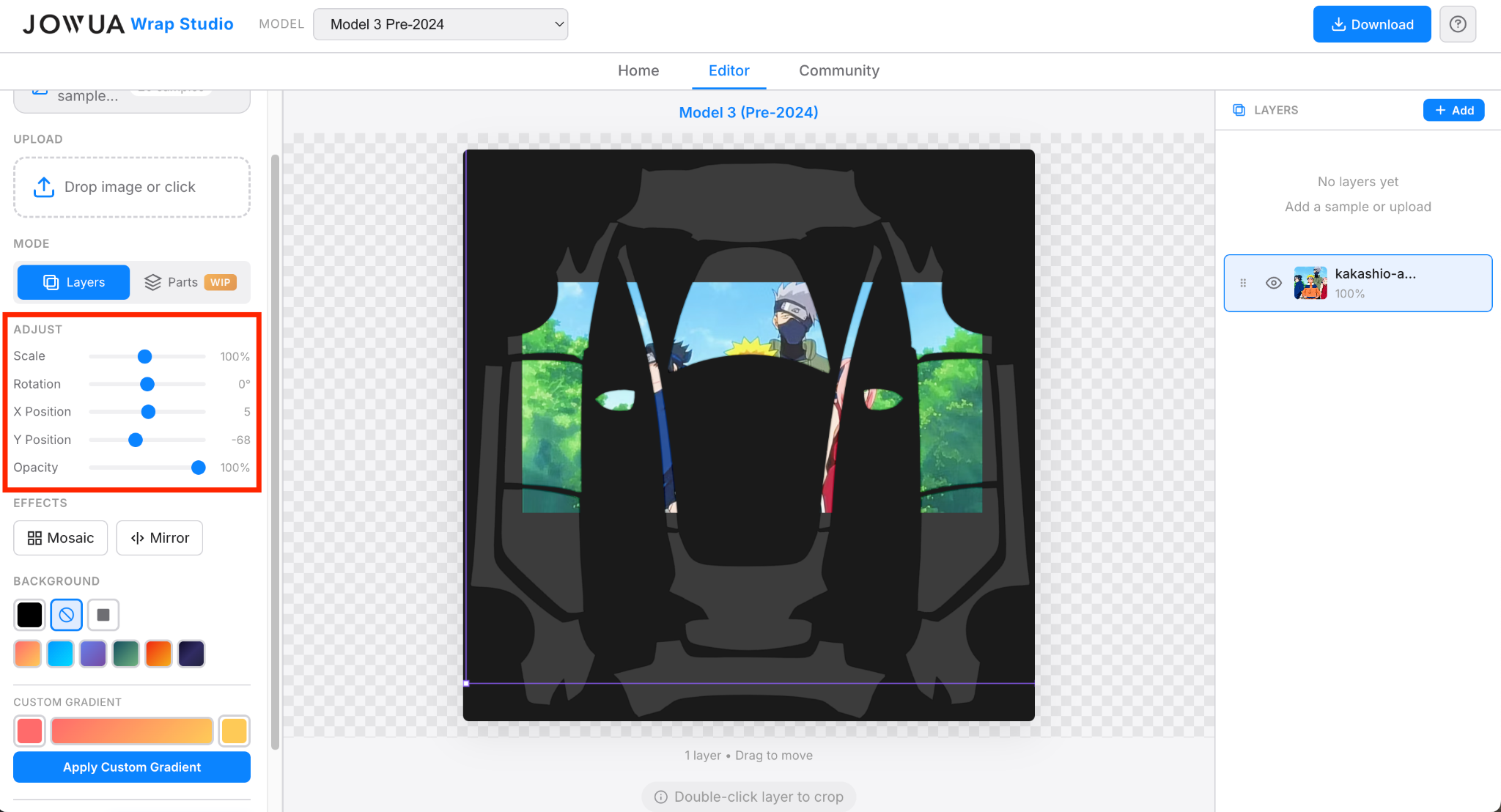
Adjust scale, rotation, and position on the vehicle.
Export your wrap file ready for your Tesla.
Once loaded, wraps will appear in Toybox → Paint Shop → Wraps tab:
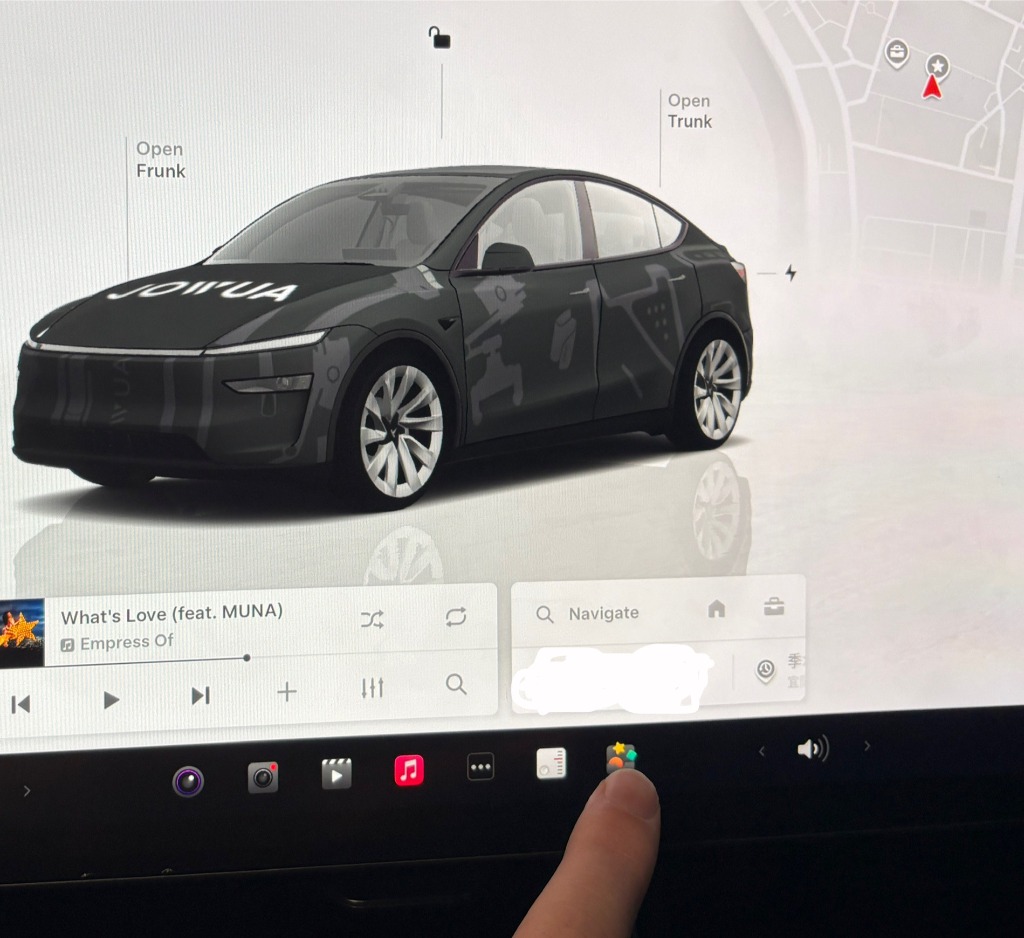
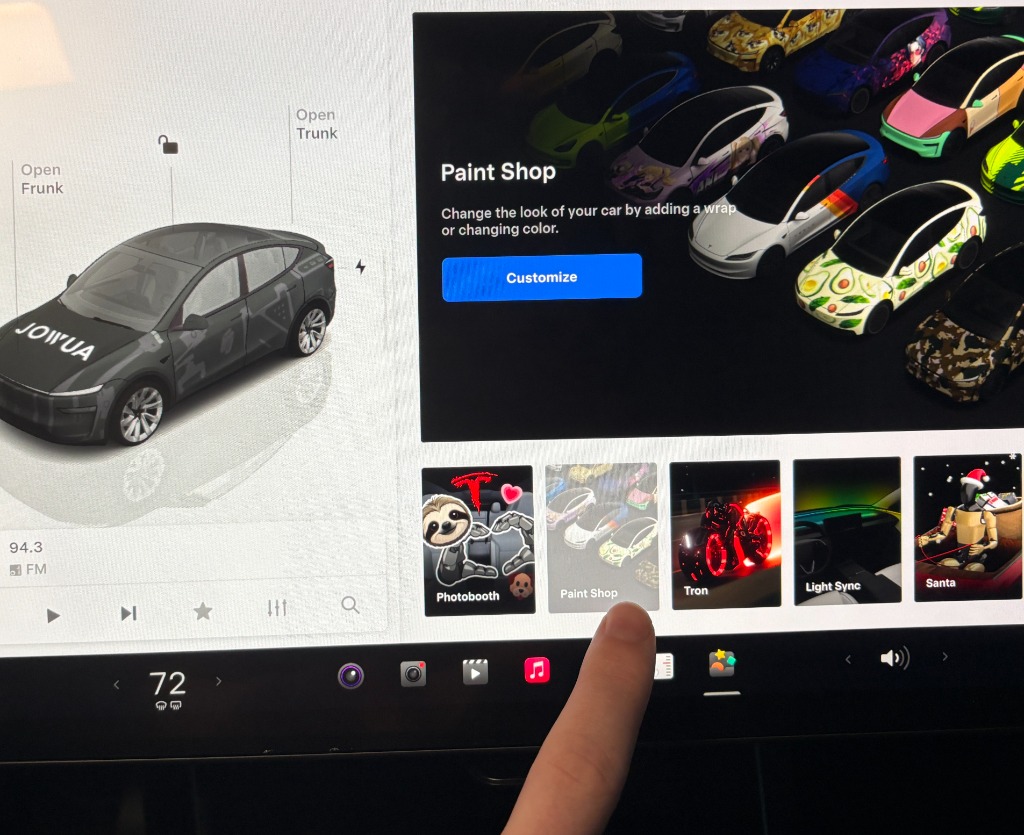
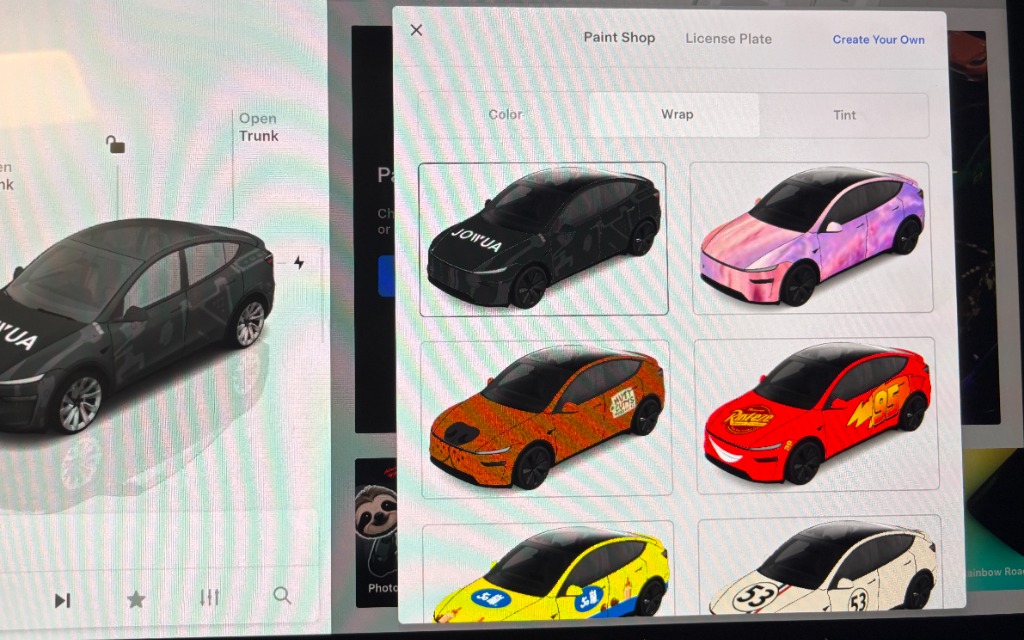
Export your design, save it to a USB drive (formatted as exFAT or FAT32), and plug it into your car's glovebox USB port. Go to Toybox > Colorizer to apply it.
Resolution: 512×512 to 1024×1024 pixels (PNG format). Max file size: 1 MB. Use alphanumeric characters, underscores, dashes, and spaces only in filenames (max 30 characters).
Your USB drive must be formatted as exFAT or FAT32 (MS-DOS). NTFS or APFS formats will not work with the car's media player.
No, this is a digital wrap for your on-screen visualization. It does not physically wrap your car.
Upload an image or select a sample
We recommend doing the design from a PC for the best user experience.
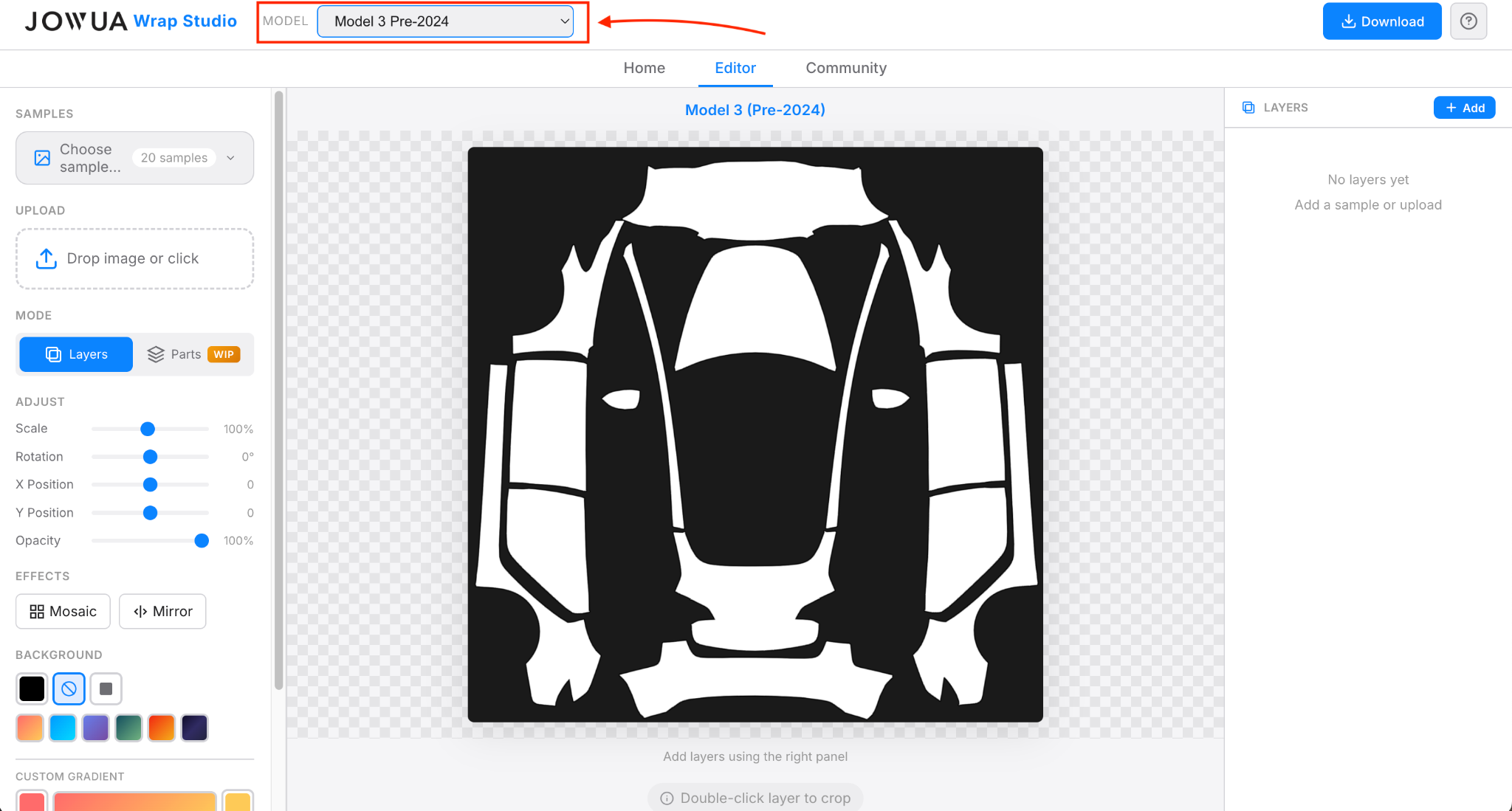
Click "Editor" in the navigation to access the main interface. It might look a bit overwhelming at first, but don't worry — let's start by selecting your car model.
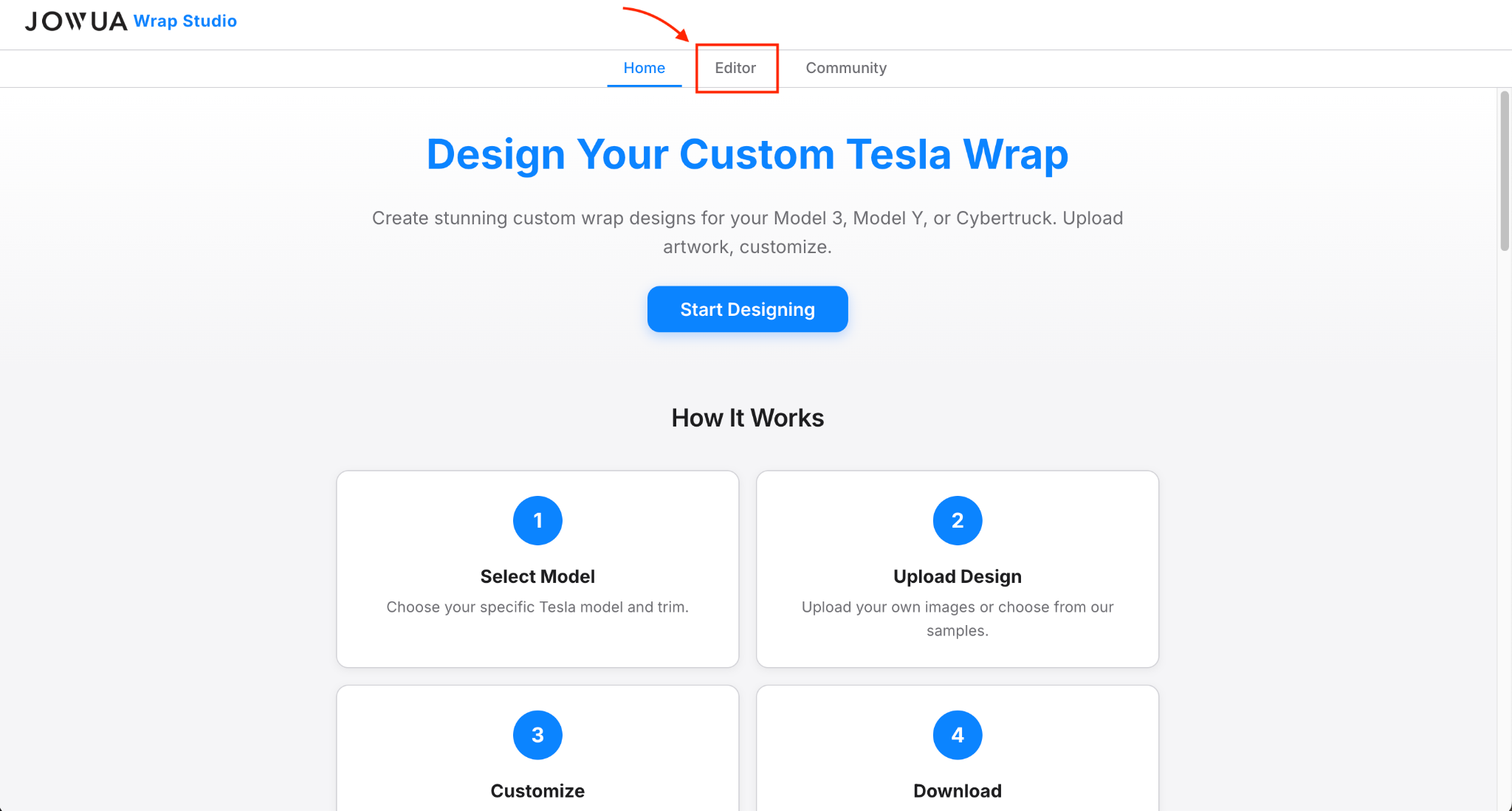
This is very important. You cannot switch models halfway through. If you choose the wrong one, the current design won't have the same layout on another car.
On the left side, select either Layers or Parts. Layers offer more possibilities, while Parts aim for a quick & rapid set up.
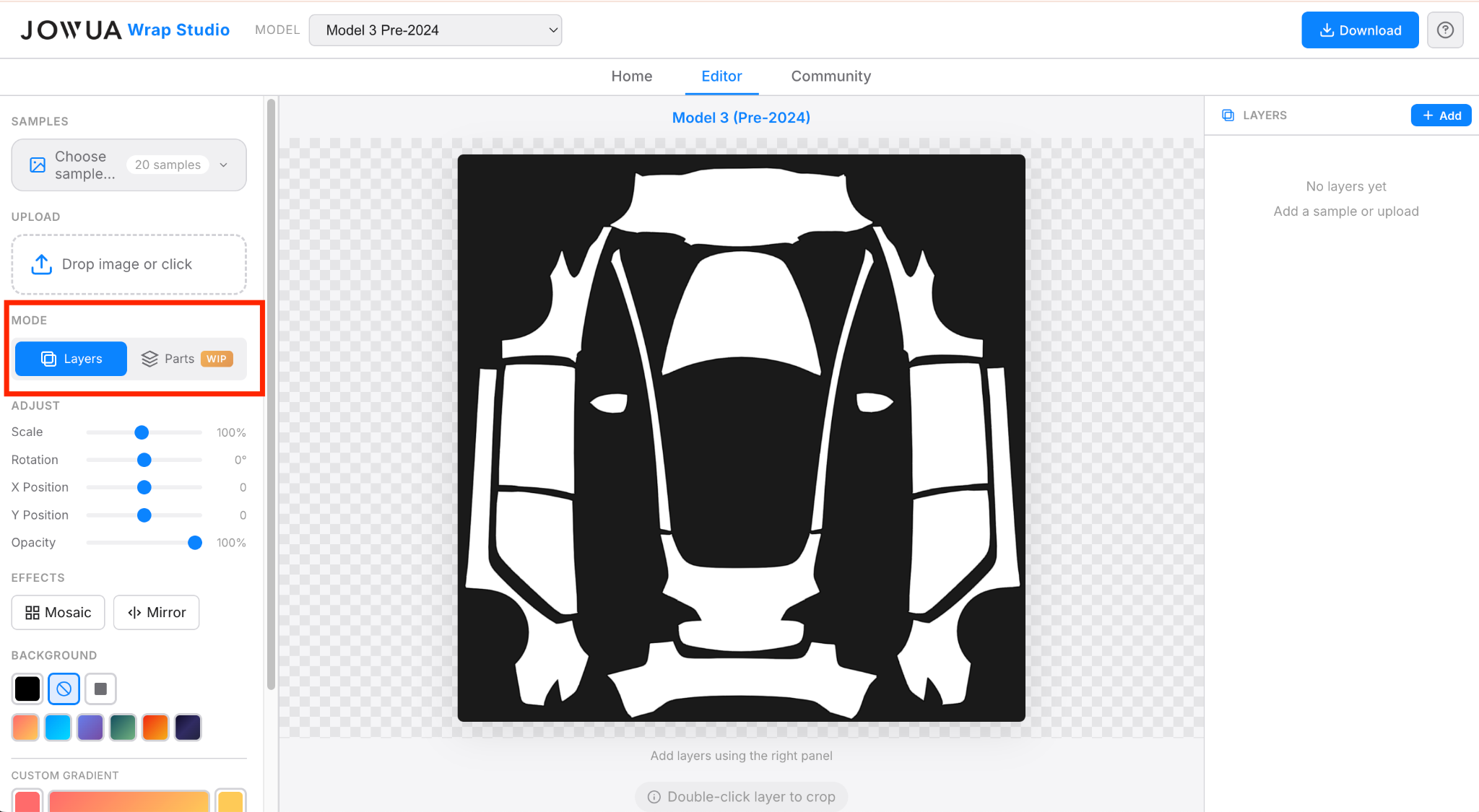
The Layers Mode provides full control over different layers, making the design limitless and allowing you to make precise adjustments to specific areas.
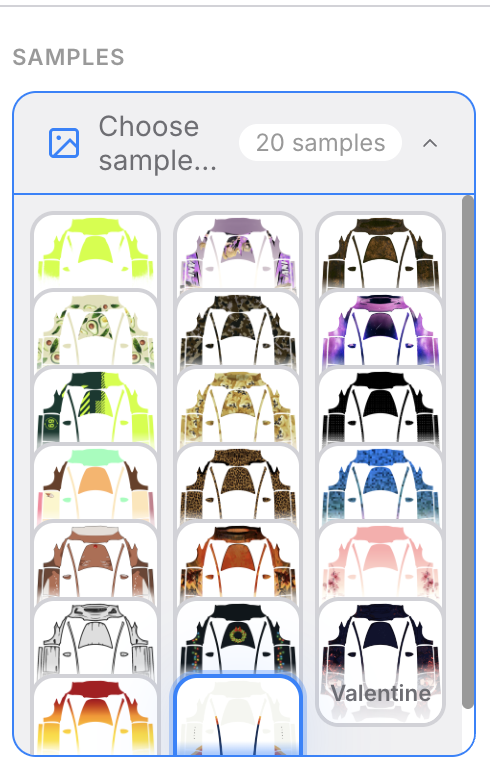
Samples: You can preview samples provided by Tesla and see their fit. You can also remix them as you wish.
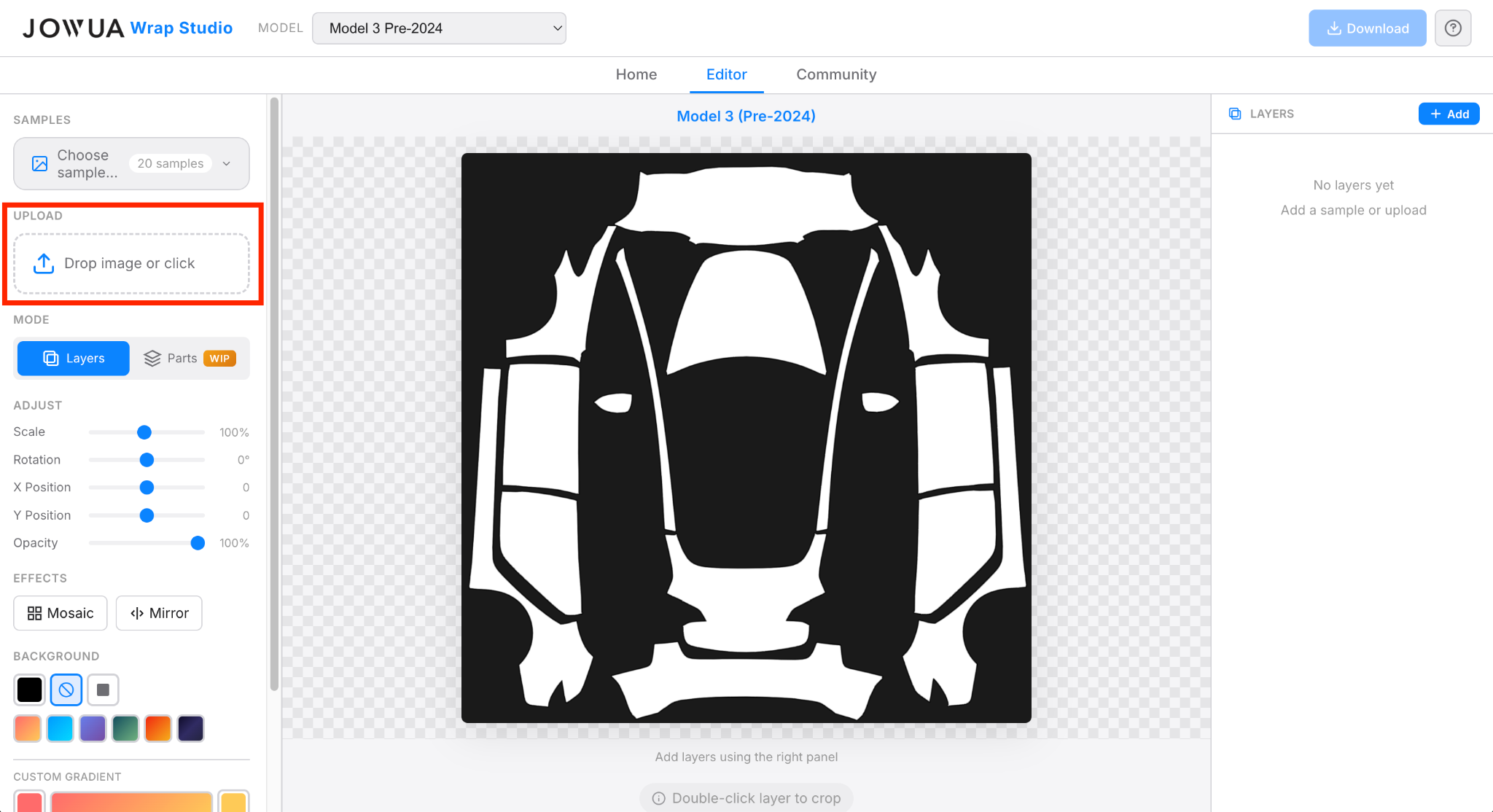
Start by uploading images in the upload section.
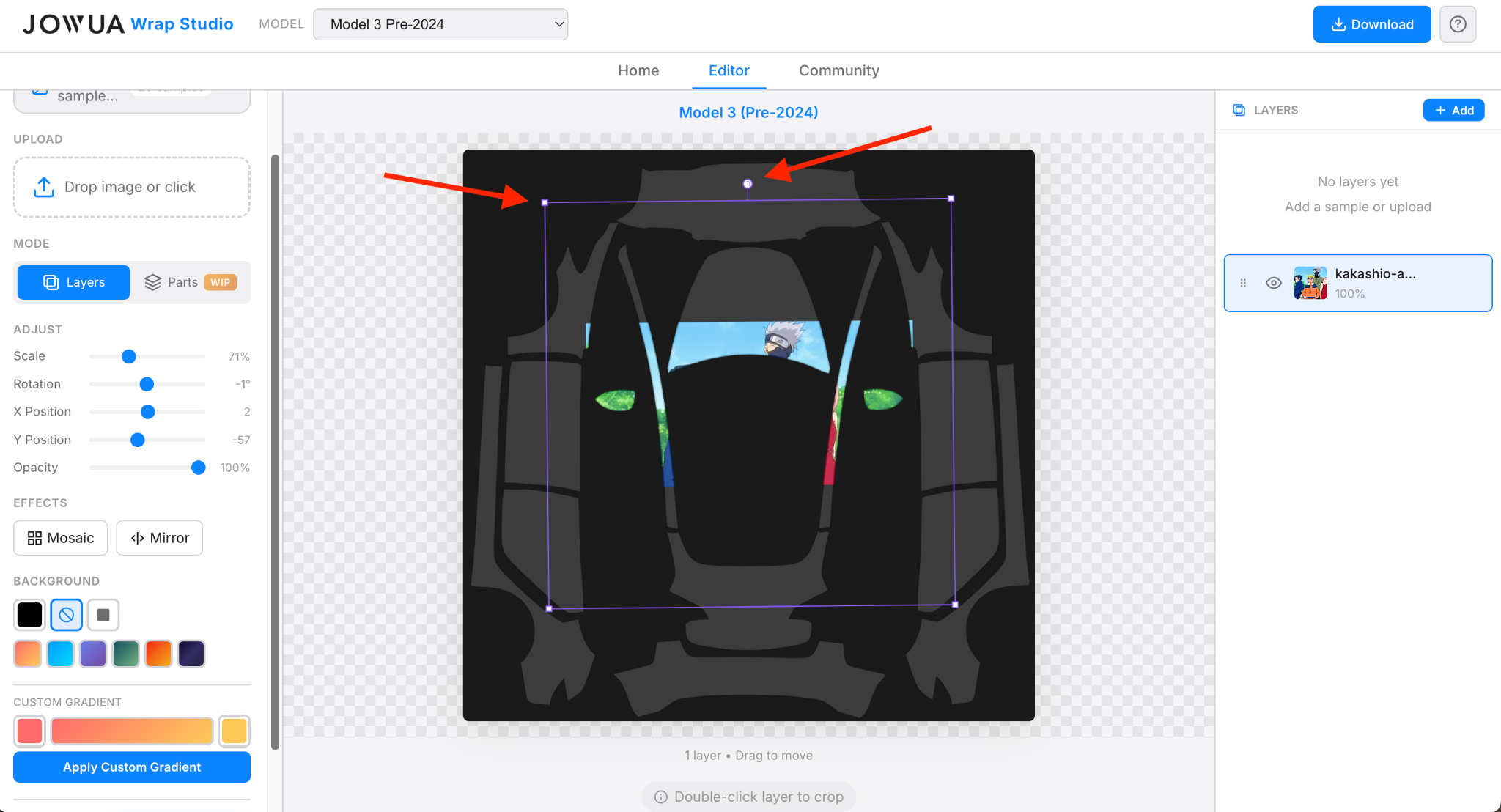
Every image can be adjusted either by tweaking the Adjust options or by simply modifying it on the template.
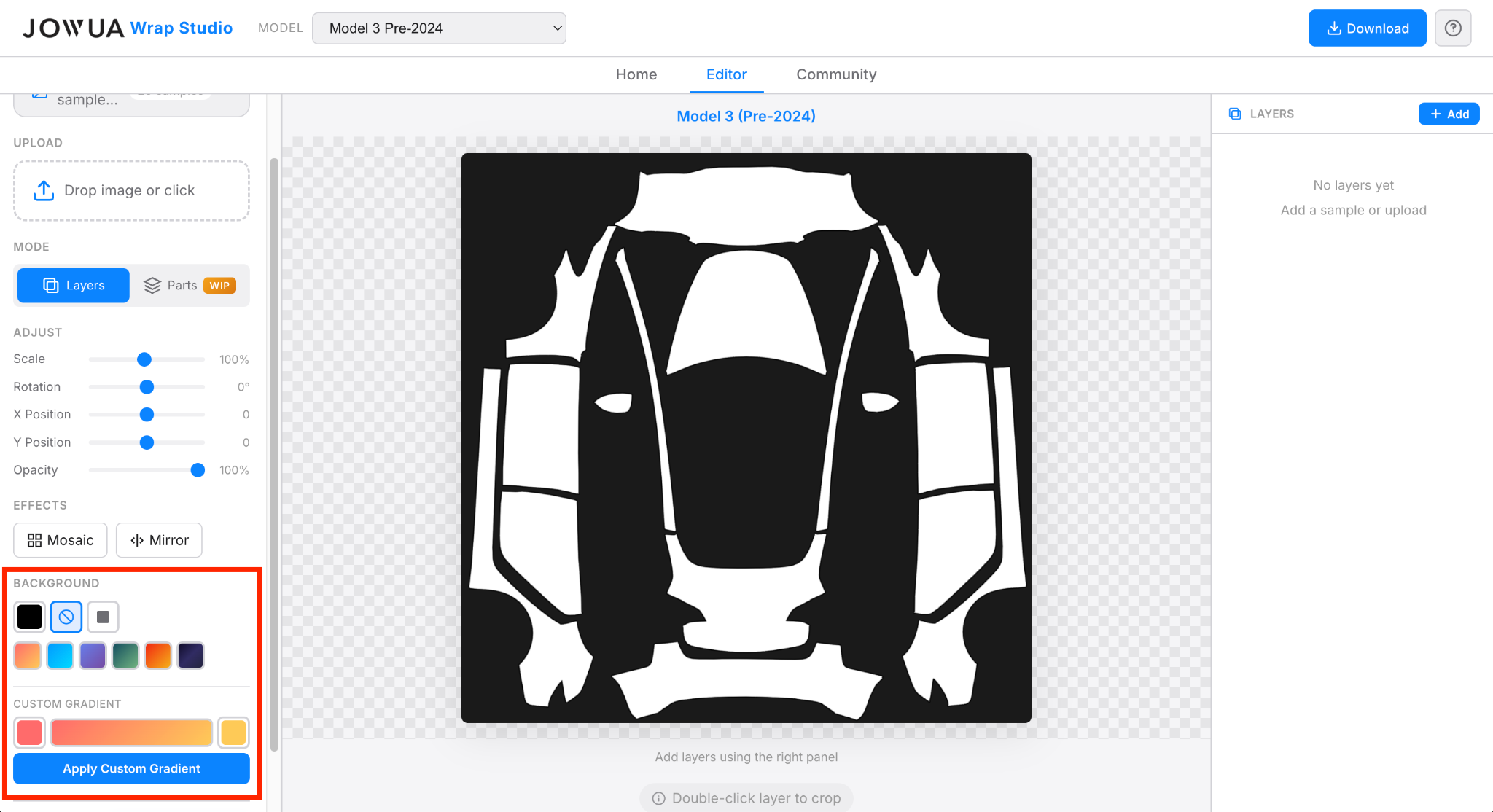
You have the possibility to add a background or a gradient background using these options. Adding a uni-color background then adding several images is a great way to make a beautiful wrap.
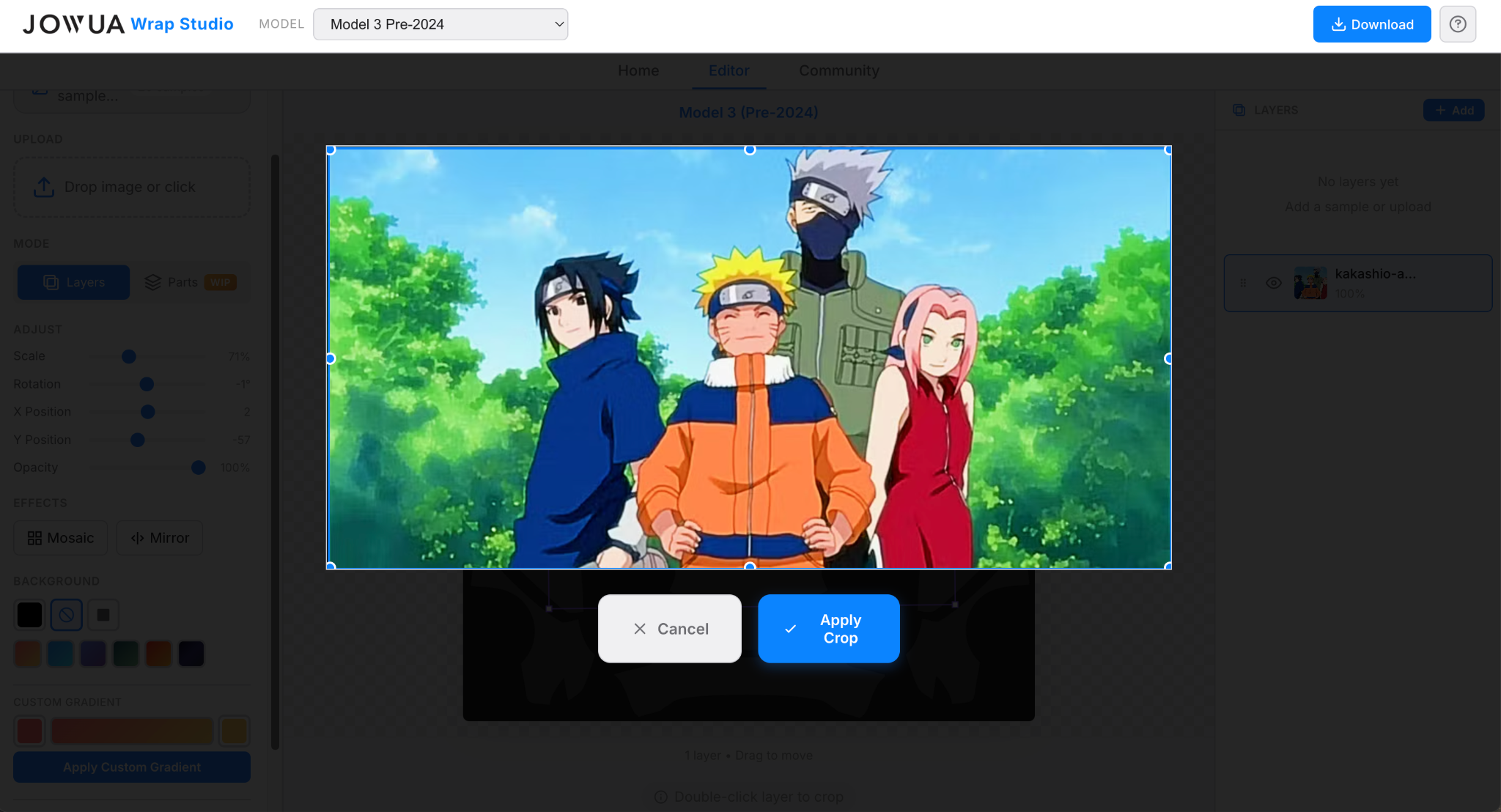
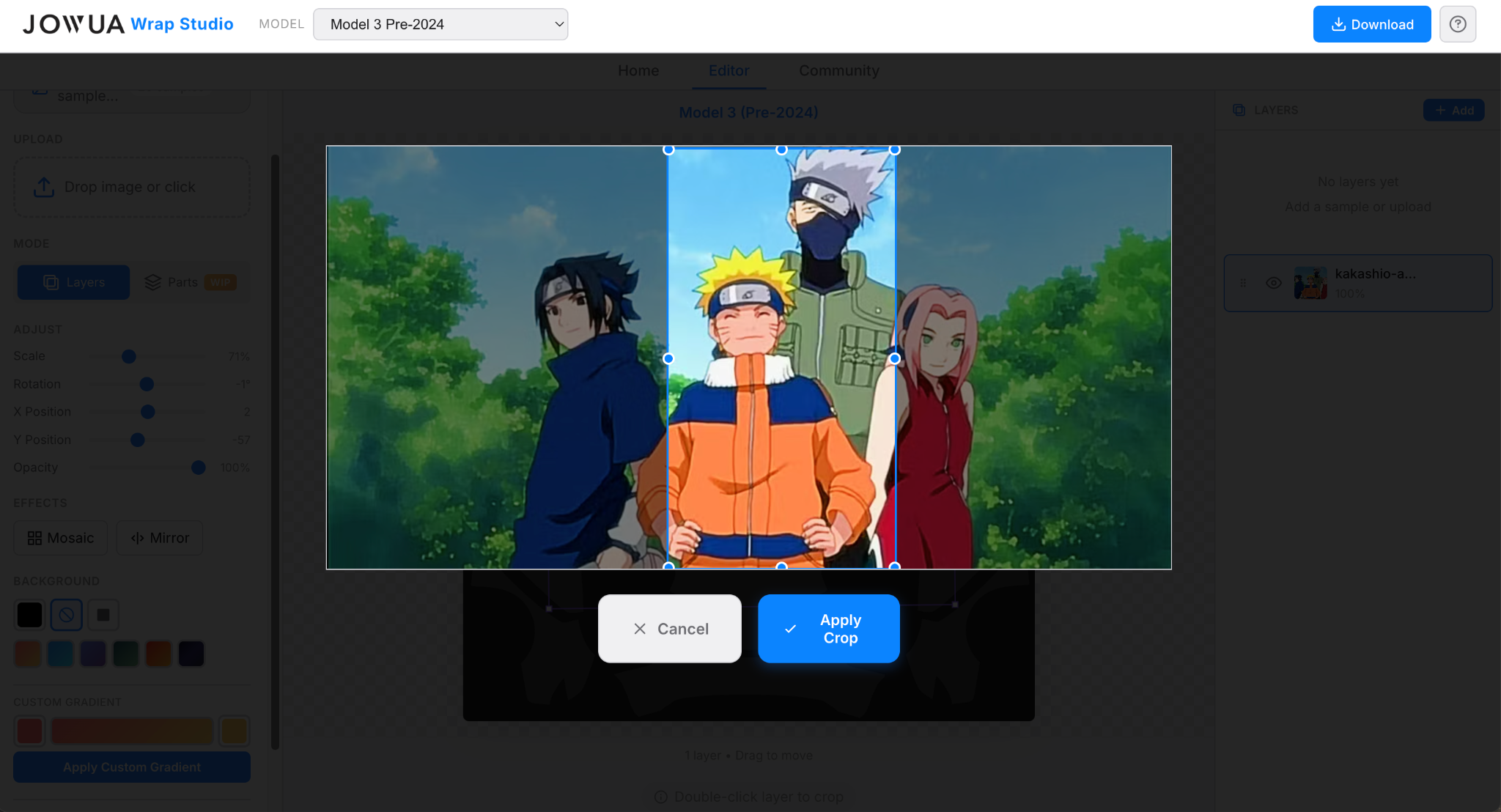
You can crop a desired layer by double-clicking on the image on the template. Then click "Apply Crop".
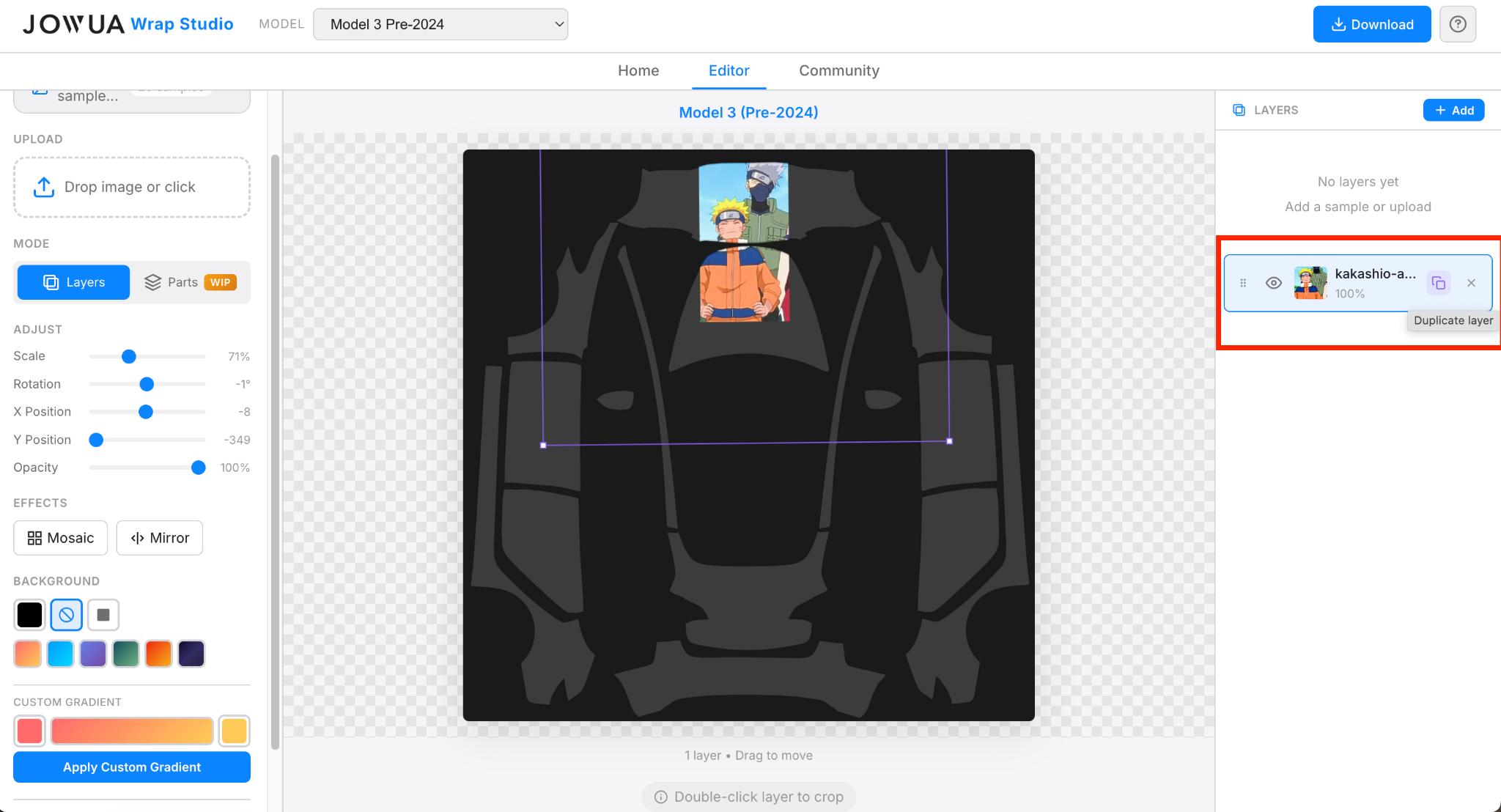
You can duplicate a layer, make it invisible, or directly remove it on the right panel.
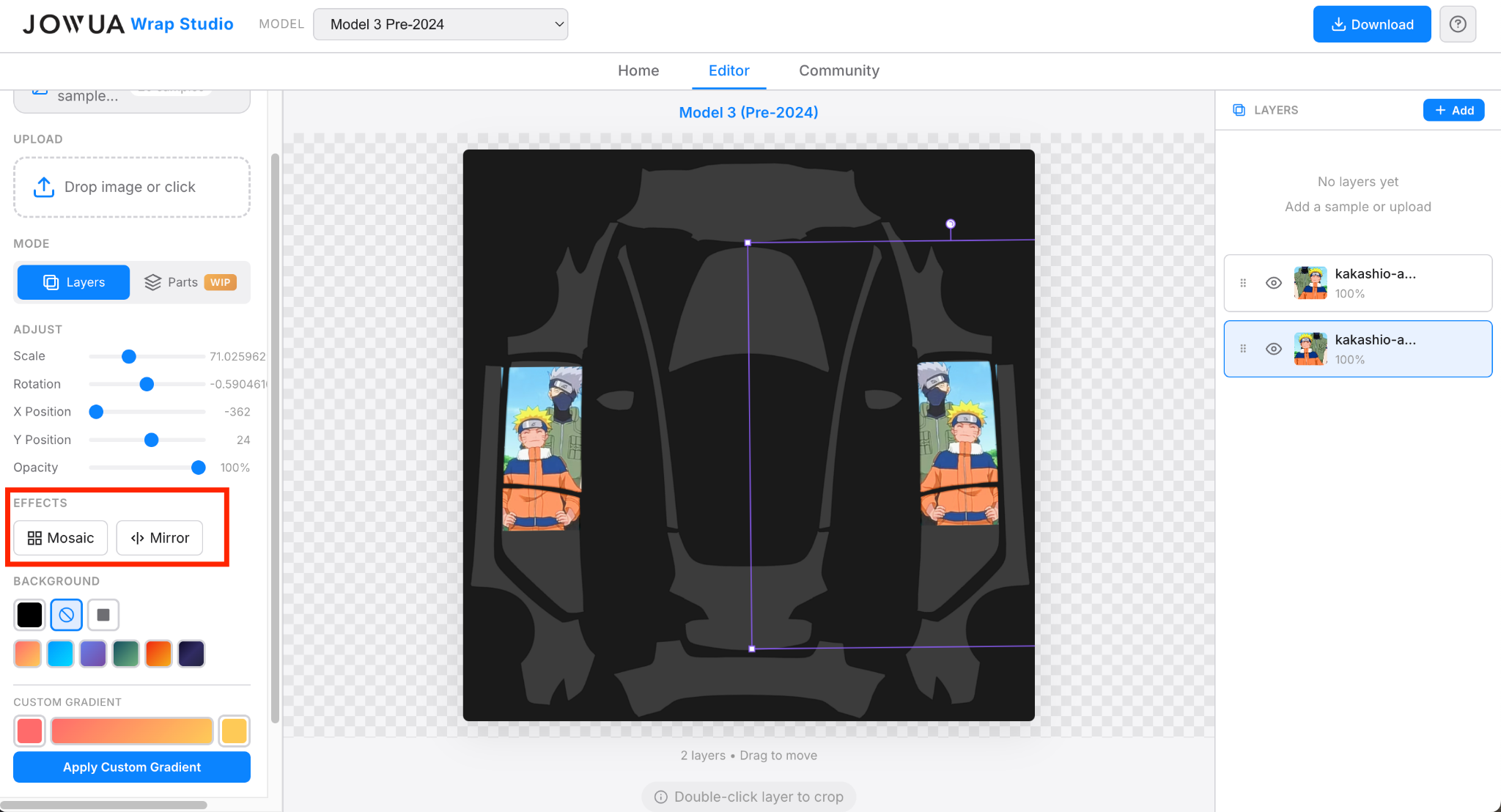
Mosaic: The tool will automatically tile and stitch the selected layer all over the template. Click several times for even more mosaic.
Mirror: Mirror the current selected layer. By duplicating a layer and mirroring the duplicated version, you can easily have similar designs on both sides of the car.
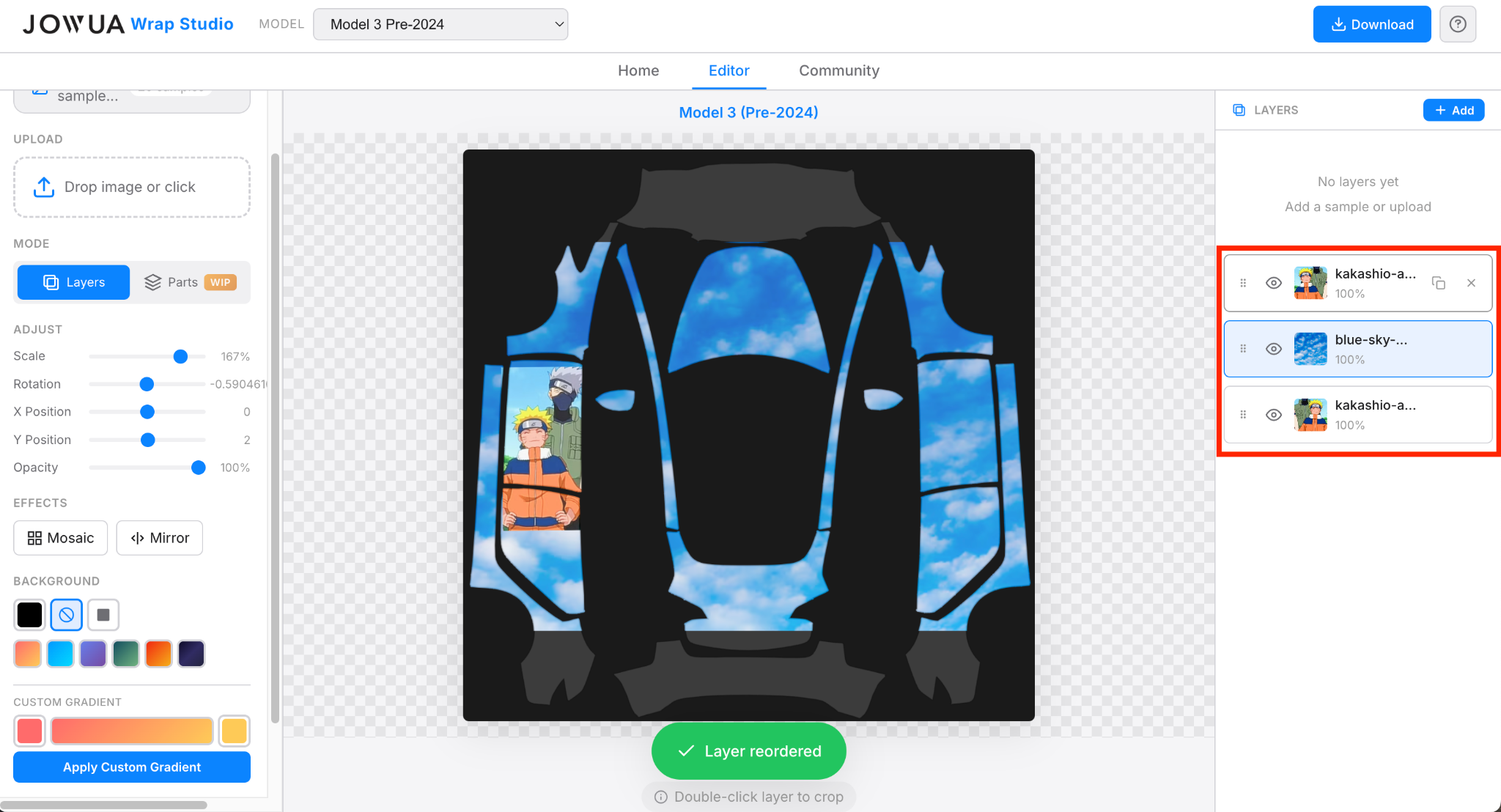
To adjust a specific layer, click on it in the layer tab on the right. Selected layers are outlined in blue. You can also adjust layer position by moving it up or down to change which image is on top.
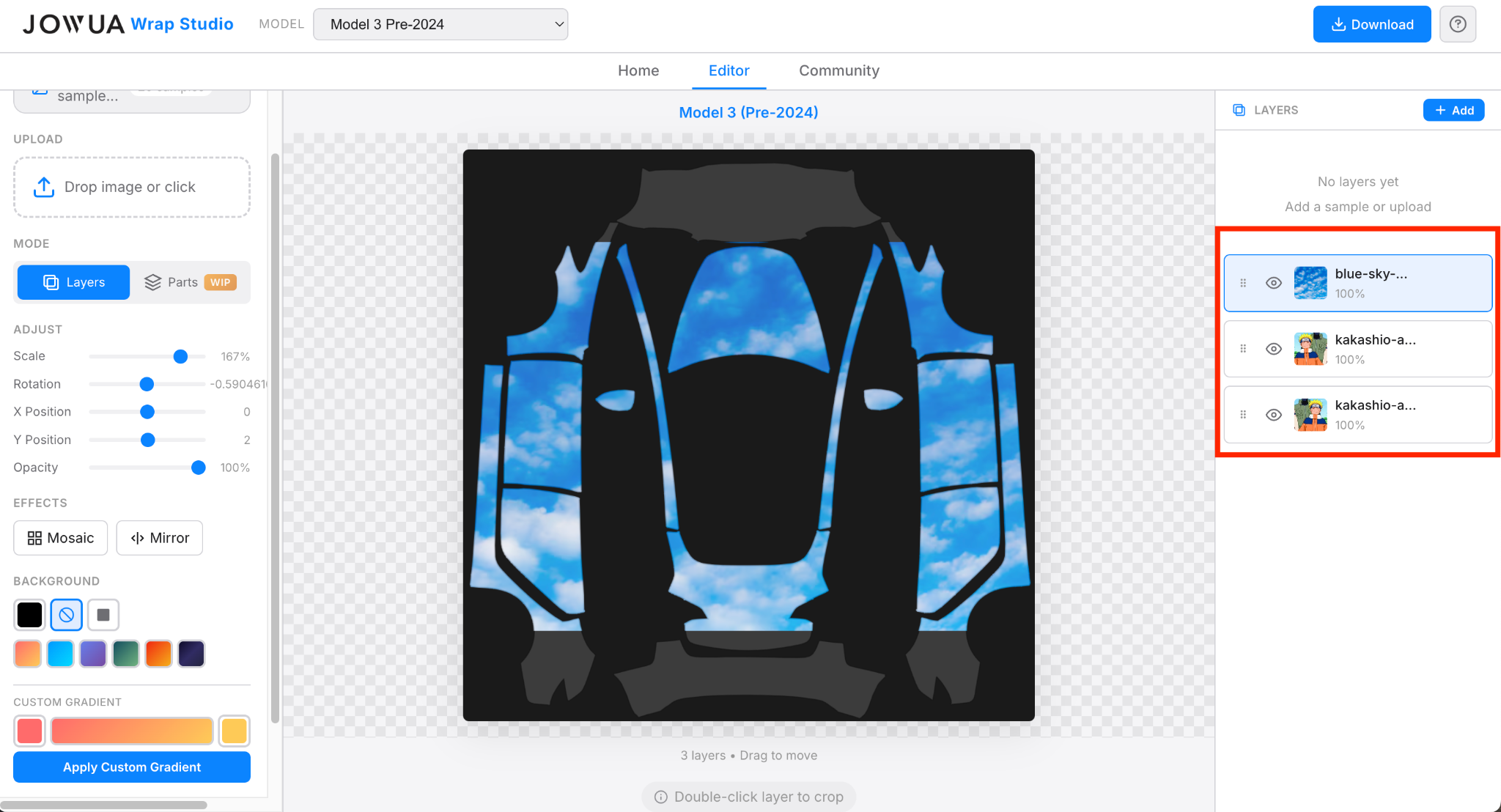
Fine-tuning requires a little patience. Just tweak it until you are satisfied!
The Parts Mode interface provides four independent directional templates, allowing you to make precise adjustments to specific areas.
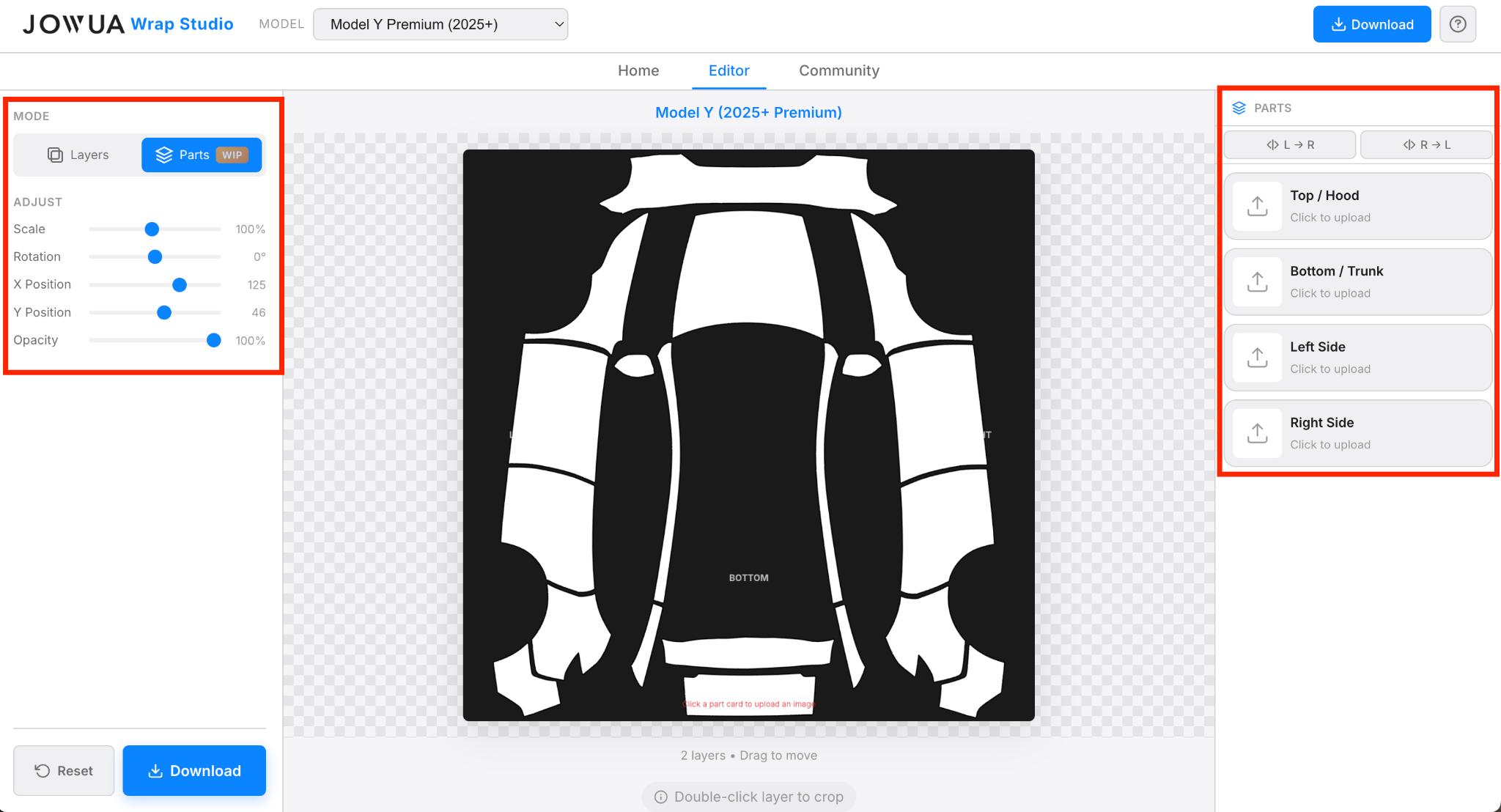
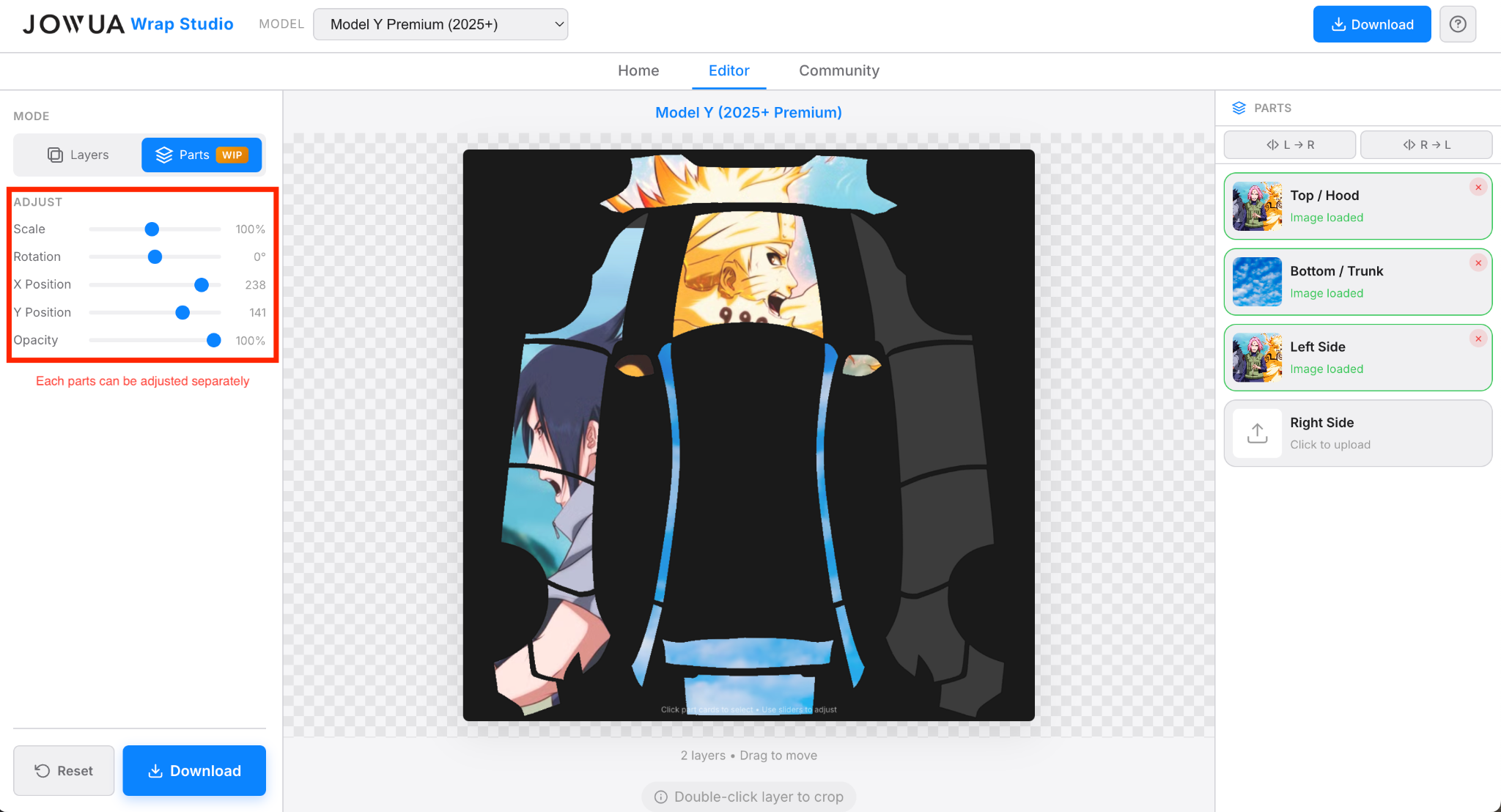
You can select different parts of the car individually and set different directions, angles, and scaling for each using the Adjust tab on the left.
You have the option to mirror the Left to the Right with the button L → R and mirror the Right to the Left with R → L. This makes it easy to have similar looking sides.
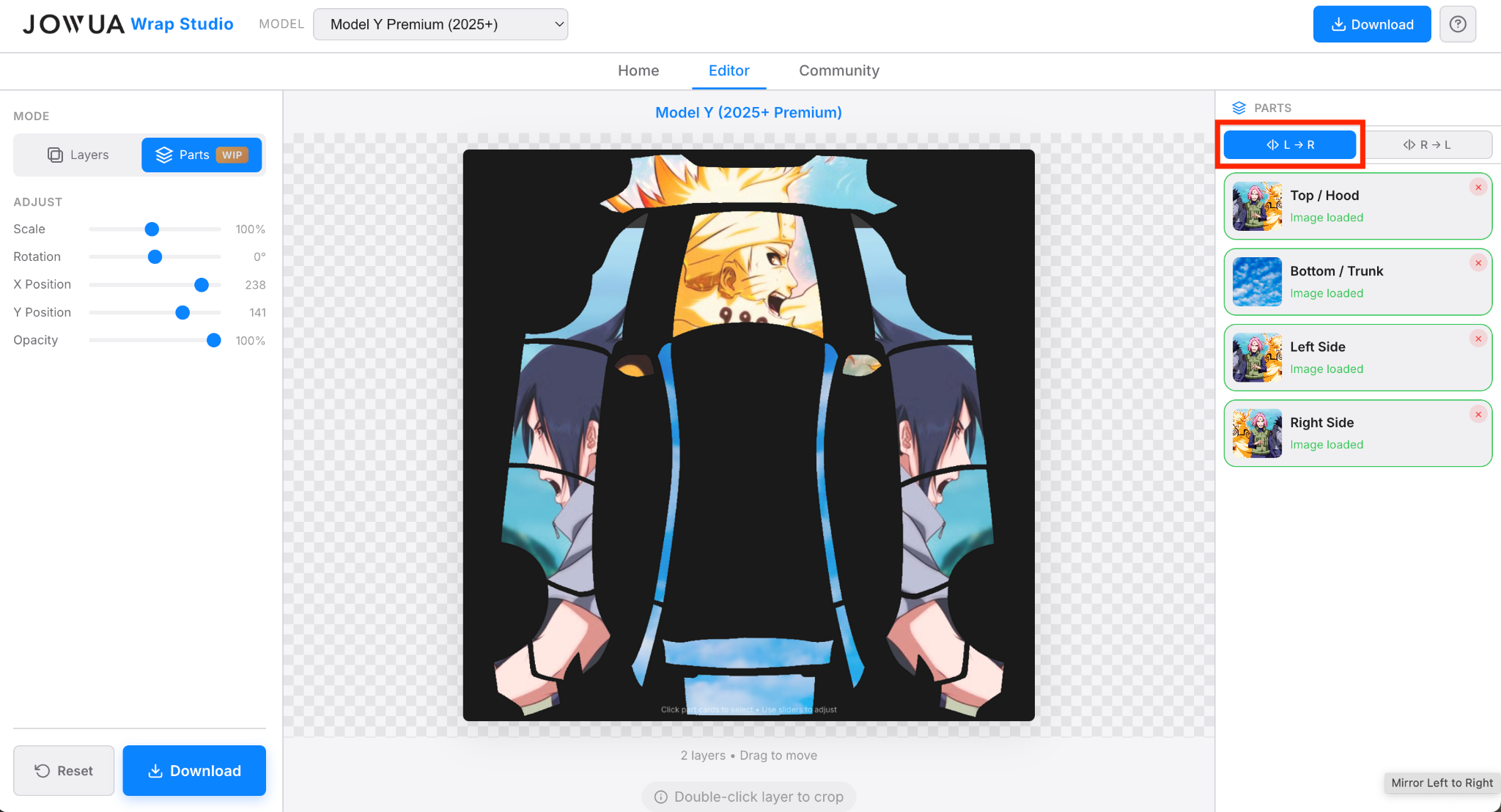
Fine-tuning requires a little patience. Just tweak it until you are satisfied!
Click Download PNG. Save the file to a location you can easily access. The file will automatically respect Tesla format (PNG under 1MB with a name under 30 characters, like MyWraps001, MyWraps002…).
Note: iPhone and Android have different file management systems, so save it wherever you prefer on your specific device.
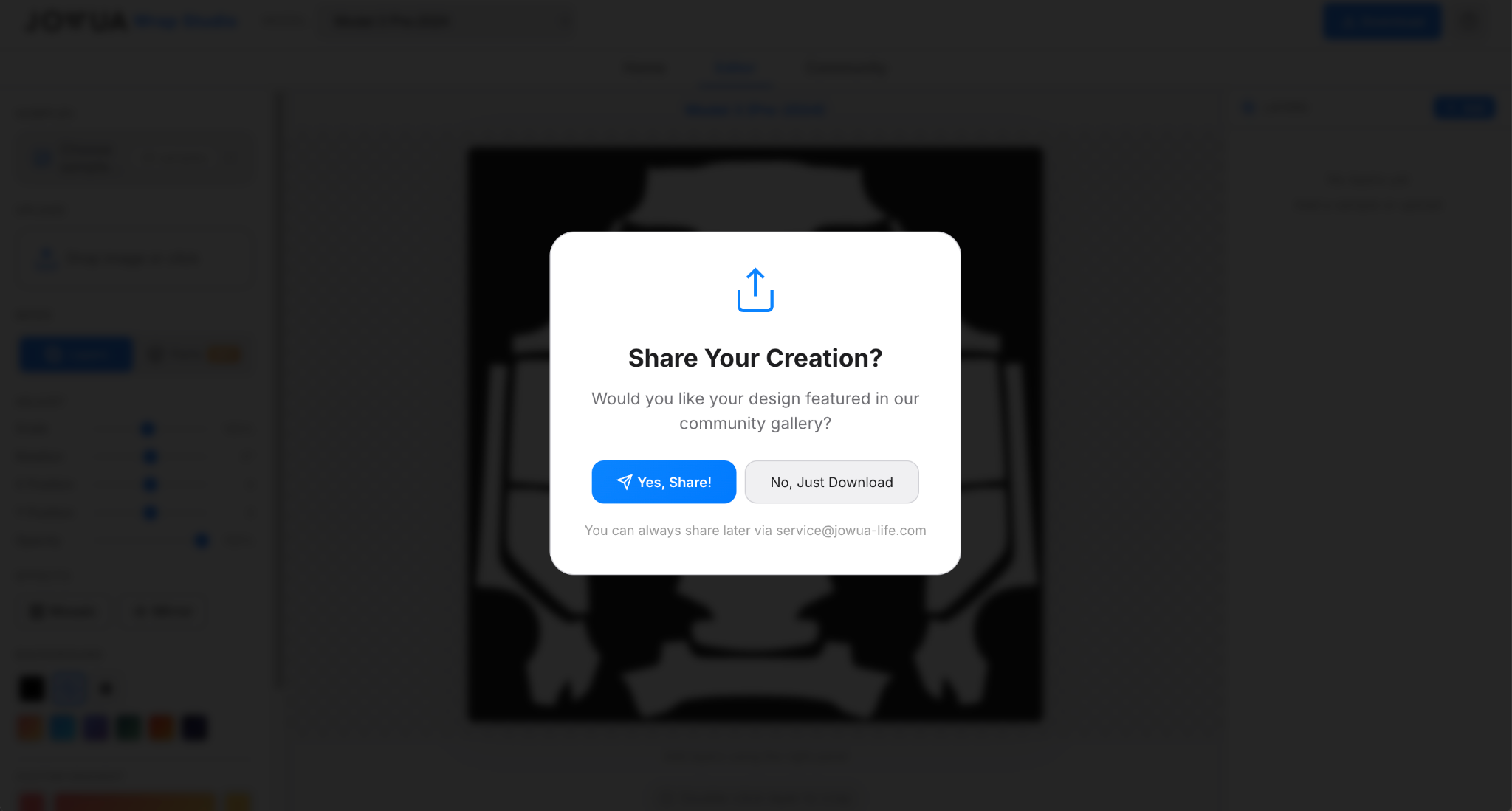
Before saving, a prompt will appear asking if you want to share your design for others to see. This is entirely optional. You can either share it to our email for us to add it in the community page later, or skip this part and directly download the design.
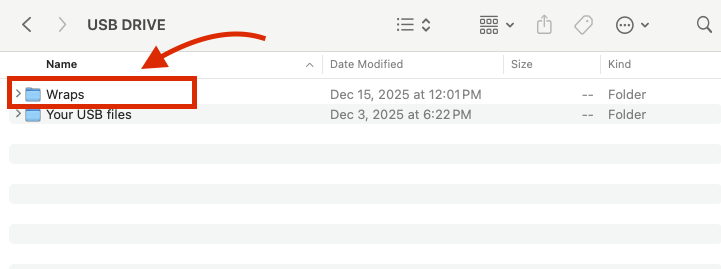
Simply save the file to a familiar folder, or plug in a USB drive and save it directly there. The USB drive needs to have a folder named "Wraps" and the custom wrap should be put in this folder to be displayed in Tesla cars.
Visit the Community section to see designs created by other owners for various car models. You can download these and apply them directly to your own vehicle.
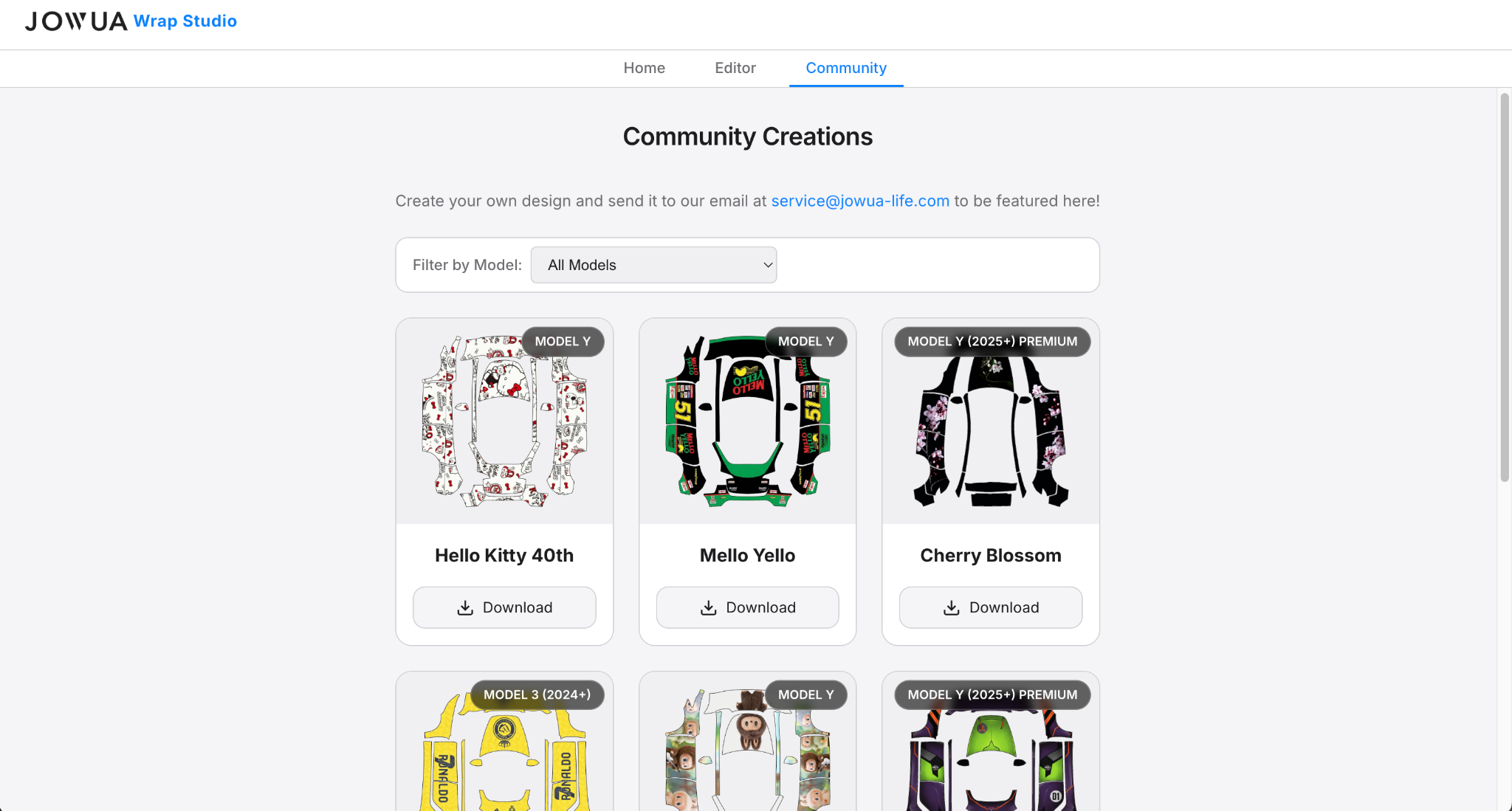
Create your own design and send it to our email at service@jowua-life.com to be featured here!